
Freehand Trace Draw: Organic, Hand-Drawn PCB Routing in KiCad 9
How to route artistic, curved, and freehand traces in KiCad 9 using Ramer-Douglas-Peucker jitter reduction, Chaikin curvature smoothing, and pad snapping.
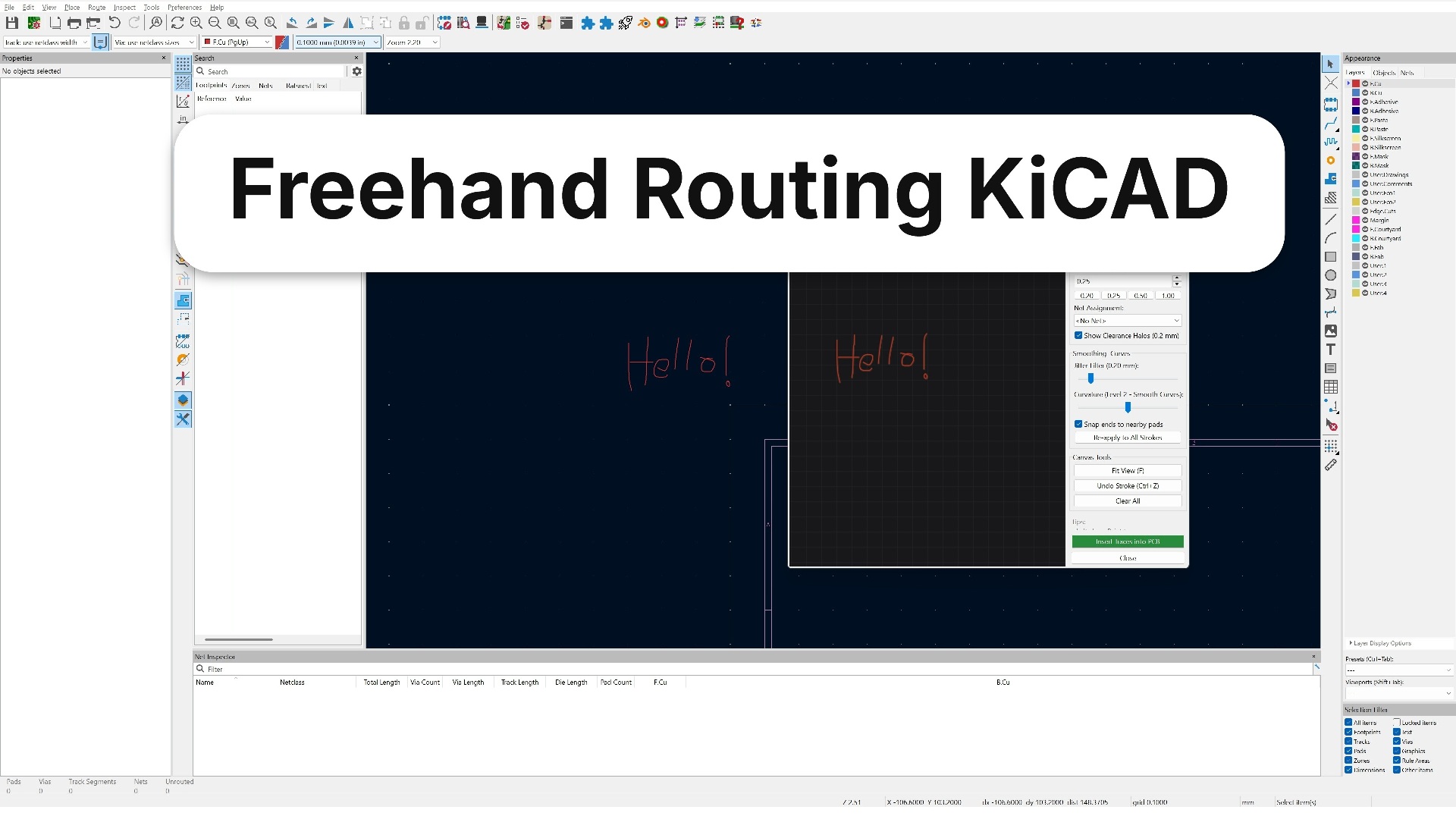
Traditional PCB design is dominated by $45^\circ$ and $90^\circ$ linear trace segments. While orthogonal routing is optimal for high-speed signal integrity and automated length matching, artistic hardware, wearable electronics, modular synthesizers, and vintage audio reproductions often call for smooth, fluid, hand-drawn traces reminiscent of 1970s tape-and-mylar layouts.
Manually placing individual arcs or bezier curves in KiCad’s layout editor is painful: moving a component requires redrawing each curve control point, and DRC errors frequently flag non-tangent arc intersections.
We developed Freehand Trace Draw, a native KiCad 9 Action Plugin and interactive desktop tool that lets you draw traces on copper and silkscreen layers like a pencil tool in MS Paint—complete with real-time jitter reduction, curvature smoothing, and automatic pad snapping.
1. The Dual-Stage Smoothing Engine
When sketching with a computer mouse or drawing tablet, raw input points are noisy, containing micro-tremors, uneven sampling rates, and jagged stairsteps. Converting raw mouse points directly into PCB track segments generates hundreds of unnecessary microscopic copper vectors that bloat file size and trigger DRC warnings.
Freehand Trace Draw solves this with a two-phase mathematical filter:
[Raw Mouse / Stylus Input]
             │
             ▼
 Phase 1: Ramer-Douglas-Peucker (RDP) ──► Eliminates micro-tremors & redundant collinear points
             │
             ▼
 Phase 2: Chaikin's Corner Cutting    ──► Generates smooth, continuous organic curves
             │
             ▼
 [DRC-Compliant PCB_TRACK Segments in KiCad]
2. Phase 1: Jitter Reduction via Ramer-Douglas-Peucker (RDP)
The RDP algorithm reduces the number of points in a curve while preserving its fundamental geometric inflection:
- Connect line segment $L$ from start point $P_1$ to end point $P_n$.
- Find the point $P_i$ with the greatest perpendicular distance $\epsilon_d$ to $L$.
- If $\epsilon_d > \epsilon_{\text{threshold}}$, recursively split the curve at $P_i$. Otherwise, discard intermediate points.
def rdp_simplify(points, epsilon=0.25):
    """Reduces stroke jitter while preserving key directional inflection points."""
    if len(points) < 3:
        return points

    dmax = 0.0
    index = 0
    end = len(points) - 1

    for i in range(1, end):
        d = perpendicular_distance(points[i], points[0], points[end])
        if d > dmax:
            index = i
            dmax = d

    if dmax > epsilon:
        rec1 = rdp_simplify(points[:index+1], epsilon)
        rec2 = rdp_simplify(points[index:], epsilon)
        return rec1[:-1] + rec2
    else:
        return [points[0], points[end]]
A user-adjustable $\epsilon$ slider ($0.1\text{ to }1.0\text{ mm}$) allows fine-tuning between raw hand sketching and aggressive polygon reduction.
3. Phase 2: Organic Curvature via Chaikin’s Algorithm
Once jitter is stripped, the resulting polyline has sharp corners. We smooth the corners using Chaikin’s Corner-Cutting Algorithm:
For each segment between vertices $P_i$ and $P_{i+1}$, replace the sharp corner with two new points located at $1/4$ and $3/4$ of the segment length:
$$Q_i = \frac{3}{4} P_i + \frac{1}{4} P_{i+1}$$$$R_i = \frac{1}{4} P_i + \frac{3}{4} P_{i+1}$$Applying 2 to 4 iterations of Chaikin smoothing turns coarse polygonal gestures into sweeping, elegant curves that mimic hand-taped analog layouts:
def chaikin_smooth(points, iterations=3):
    """Subdivides polylines into tangent-continuous curves."""
    for _ in range(iterations):
        new_pts = [points[0]]
        for i in range(len(points) - 1):
            p0 = points[i]
            p1 = points[i+1]
            q = Vector2D(0.75 * p0.x + 0.25 * p1.x, 0.75 * p0.y + 0.25 * p1.y)
            r = Vector2D(0.25 * p0.x + 0.75 * p1.x, 0.25 * p0.y + 0.75 * p1.y)
            new_pts.extend([q, r])
        new_pts.append(points[-1])
        points = new_pts
    return points
4. Smart Pad Snapping & Net Inheritance
Hand-drawn traces are useless if they cause design rule check (DRC) violations against the component pads they connect to.
Freehand Trace Draw implements spatial pad snapping:
- When the user starts drawing near a pad (within radius $R_{\text{snap}} = 1.5\text{ mm}$), the starting coordinate snaps directly to the center of the pad.
- The plugin queries the KiCad board database via
pcbnewand identifies the pad’s active net (e.g.,GND,+3V3, or a GPIO net). - The drawn stroke inherits that net ID.
- When the stroke finishes near a destination pad, the end point snaps to the target pad, verifying net consistency.
       [ Pad A (GND) ]                                  [ Pad B (GND) ]
              o                                                o
               \     ~~~~~~~~ Smooth Organic Trace ~~~~~~~~   /
                '───'                                      '─'
5. Layer & Entity Support
The tool distinguishes between electrical copper layers and non-electrical graphics:
- Copper Layers (
F.Cu,B.Cu,In1.Cu…): Exported to the board as connected chains of nativePCB_TRACKsegments with assigned nets and track widths. - Graphic Layers (
F.SilkS,B.SilkS,User.Drawings,User.1…): Exported as chains of graphicalPCB_SHAPEelements for front-panel artwork and stylized logos.
The plugin runs directly inside Pcbnew (Tools > External Plugins > Freehand Trace Draw) or standalone via KiCad’s bundled Python interpreter.