
The BGA Evacuation Plan- How to Estimate PCB Layers Using the Stadium Method
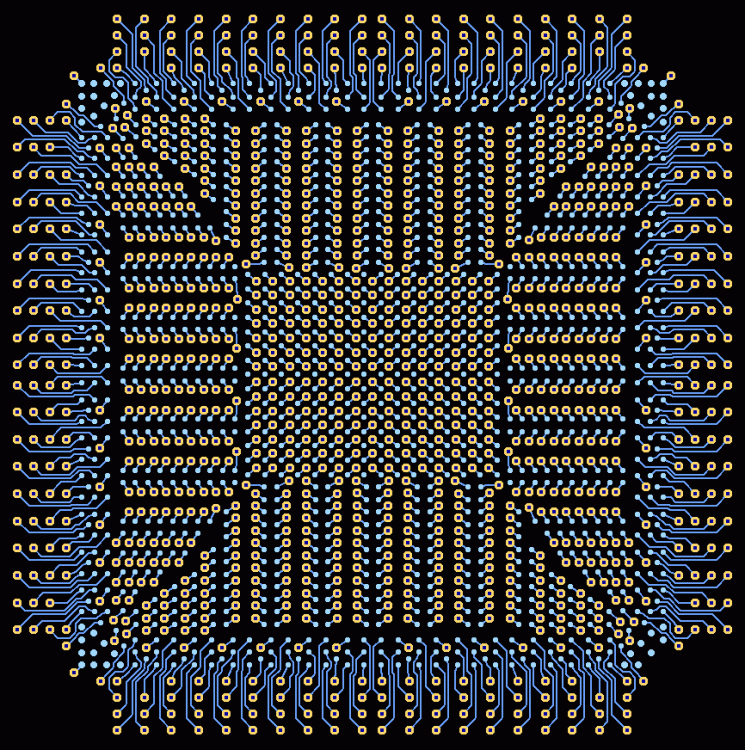
If you have ever stared at a newly selected high-pin-count Ball Grid Array (BGA) and found yourself guessing how many layers your PCB stackup actually needs, you are not alone. Guessing too low leads to unroutable designs and wasted weeks; guessing too high adds unnecessary fabrication costs and manufacturing complexity.
In a recent episode of Sierra Circuits’ Trace Talks, veteran PCB designer Greg Albert shared a brilliant, practical framework for calculating layer constraints. It all comes down to a single bottleneck: BGA escape routing (or breakout) and channel capacity.
To make this concept incredibly easy to visualize, let’s use what I call The Stadium Method.
The Stadium Metaphor: Who Gets Out First?
Imagine a crowded stadium where all the seats are arranged in a perfect square grid of rows and columns.
If an evacuation alarm goes off, the people sitting in the outermost two rows have it easy. They can sprint straight out of the building into the parking lot. They don’t have anyone blocking their path. On a PCB, these are your outer rows of BGA pins—they route straight out on the surface (Top/Bottom Layers) without needing any vias.
However, the people trapped deep in the inner rows are blocked by everyone sitting in front of them. To escape, they have to drop down through a trapdoor in the floor (a Via) to the basement levels (the Internal Signal Layers) and navigate through narrow corridors (the Routing Channels between via pads) to find the exit.
How many basement levels (layers) do you need to build? That depends entirely on two core variables.
The Two Core Variables
When estimating your signal layers, you only need to look at one side of the BGA, mapping from the outside edge to the absolute center line:
-
The Depth (Rows to Center): How many total rows of pins exist from the outside edge to the middle?
-
Channel Capacity: How many traces can your manufacturer safely squeeze side-by-side through the gap between two adjacent via pads on an internal layer? Usually, this is either 1 trace (standard processing) or 2 traces (advanced, high-precision tracking).
Let’s look at how this plays out in the real world with two examples.
Example 1: The Standard 1.0mm Pitch BGA (1 Trace per Channel)
Suppose you are layout out a processor with a dense $16 \times 16$ grid of pins. Your fabrication house rules dictate that only 1 trace can safely pass between internal via pads.
Step 1: Calculate the Depth
Because the BGA routes outward symmetrically in all four directions (left, right, top, bottom), we only calculate the distance to the center.
$$\text{Depth} = 16\text{ rows} \div 2 = 8\text{ rows deep}$$
Step 2: Clear the Outer Rows
The outermost Row 1 and Row 2 escape for free on the surface layer. They don’t require internal routing.
- Remaining internal rows that need a basement route: $8 - 2 = \mathbf{6\text{ rows}}$
Step 3: Map the Basement Levels (Internal Layers)
Because your channel capacity is strictly 1 trace, each internal signal layer can only rescue 1 row of inner pins at a time. Once a trace from Row 3 claims the narrow gap between the vias, Row 4 is completely blocked on that layer.
-
Internal Layer 1: Escapes Row 3
-
Internal Layer 2: Escapes Row 4
-
Internal Layer 3: Escapes Row 5
-
Internal Layer 4: Escapes Row 6
-
Internal Layer 5: Escapes Row 7
-
Internal Layer 6: Escapes Row 8
The Verdict: You need a minimum of 6 internal signal layers just to break out this BGA.
Example 2: The High-Precision Upgrade (2 Traces per Channel)
Now, let’s take the exact same $16 \times 16$ chip, but you utilize a premium manufacturing process with tighter trace/space capabilities. Your traces can now be narrow enough (“necked down”) to pack 2 traces side-by-side through the exact same gap between via pads.
Step 1 & 2: Depth & Outer Rows
The math starts out identical: 8 rows deep, the outer 2 escape on the surface, leaving 6 inner rows trapped.
Step 3: Map the Basement Levels
Because your routing corridors can now accommodate two people walking side-by-side, each internal layer can pull out 2 rows of pins simultaneously!
-
Internal Layer 1: Squeezes out Row 3 AND Row 4 together through the via gaps.
-
Internal Layer 2: Squeezes out Row 5 AND Row 6 together.
-
Internal Layer 3: Squeezes out Row 7 AND Row 8 together.
The Verdict: By doubling your channel capacity, you cut your required internal breakout layers exactly in half—down to just 3 internal signal layers.
The Quick-Reference Layer Estimate Cheat Sheet
By knowing your BGA grid size, you can instantly estimate your baseline breakout layers:
| BGA Grid Size | Depth to Center | Surface Rows (Free) | Layers Needed (1 Trace/Channel) | Layers Needed (2 Traces/Channel) |
| 10 x 10 | 5 rows | 2 rows | 3 Signal Layers | 2 Signal Layers (rounded up) |
| 12 x 12 | 6 rows | 2 rows | 4 Signal Layers | 2 Signal Layers |
| 16 x 16 | 8 rows | 2 rows | 6 Signal Layers | 3 Signal Layers |
| 20 x 20 | 10 rows | 2 rows | 8 Signal Layers | 4 Signal Layers |
The Ultimate Engineering Shortcut: The Power/GND Exception
Before you finalize your stackup based on this math, remember one vital practical detail: Not every pin needs to escape to the outside edge.
In almost all modern large-scale BGAs, roughly 30% to 40% of the pins in the dead center of the matrix are dedicated to Power and Ground. These pins don’t need to exit the perimeter of the chip. Instead, they drop straight down vertically into your solid internal power and ground planes.
Because those center pins drop straight down, they clear out the deepest “stadium seats,” frequently saving you from needing those final 1 or 2 internal signal layers.
Final Thoughts
The next time you are starting a hardware design with a massive BGA, don’t leave your layer count to guesswork. Figure out your component’s matrix depth, talk to your fab house about your target channel capacity, and sketch out your evacuation plan before you place a single trace.